Showing posts with label PCB Rules. Show all posts

Sunday, July 1, 2018

Solder Paste Expansion for Not Fitted Parts

click on image to view
(ObjectKind = 'Pad') And ((Component = 'C1') OR (Component = 'R10') OR (Component = 'R12'))   

Or you can create a Component Class and set the Paste Expansion for the Class.


InComponentClass('DNP')  

That's It !

Friday, February 10, 2017

RF Copper Keepouts

Designing copper cutouts using design rules.


Design Rule


Not InNet('*') and IsTrack 

and  

IsVia

After applying above rule


That's it !

Wednesday, August 17, 2016

Clearance Rule for Vias and Keepout

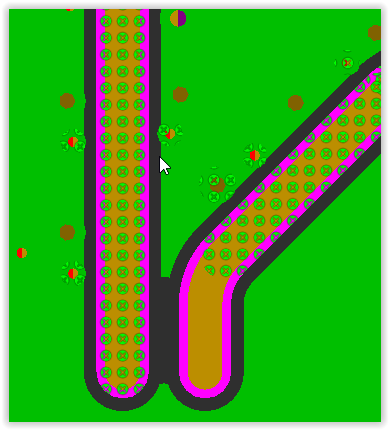
Vias violating clearance rule, where a No Net Keepout is being used.

Using the rule below I'm able use the keepout,  In the past I would replace the keepout with a polygon cutout. 

The end result is the same, however by using this rule I'm able to avoid creating the polygon cutout.

click on images to view


Clearance Rule


OnLayer('L2 - GND PLANE') and IsKeepOut  

and 

IsVia


Different Nets

Min Clearance 3 mils (or what floats your boat).

That's It !

Friday, June 3, 2016

PCB Rule - Track to Track

The rule shown below can be used to create a desired track to track clearance.


Why use this rule ?  In designs with fine pitch parts the pad to pad spacing may be less than the desired track to track spacing.

That's It !

Friday, May 27, 2016

Planes and Through Hole Pins

Typical designs have through hole pins for headers and connectors.


What is often overlooked is additional clearance needed to create the specified finished hole size (FHS) for pins that pass through the planes.

Design rules can be used to increase the anti-pad (copper clearance) that surrounds each pin that passes through a plane.

Example feedback from PCB fabricator:

The 43 mil holes are drilled at 47.2 mil and 59 mil holes are drilled at 63 mil to achieve the specified finished hole size after plating. After drilling the holes are 6 mils away from copper.  
Can we increase the hole edge to copper spacing to prevent CAF issue ?

Problem:


The design is using a global minimum Plane Clearance rule (8mil).


The global minimum of 8 mils is adequate for small vias and tracks. However additional clearance is needed for through hole pins to prevent Conductive Anodic Filaments (CAF).

Solution:

Use design rules to increase the copper clearances for pins that pass through plane layers.


Through hole pins with 12 mil clearance.


That's It !

Thursday, January 14, 2016

Hole to Hole Clearance Rules

AD16 has options to use Drill Pairs for hole to hole clearances.

Click on images to view


In AD16.0.6 the drill pair rules are not working properly. Hole to Hole Clearance violations are not properly reported.

Also there are backward compatibility issues with using the drill pairs in AD16, they are not recognized in earlier versions of Altium. 

When the DRC check is run in an earlier version you will get this error message.


Select Cancel.

Workaround for hole to hole clearance checks.

The solution shown below works and is backward and forward compatible.

Example 1: The rule shown below will catch both same net and different net hole to hole violations for holes greater than or equal to 6 mils in diameter.


(AsMils(HoleDiameter) >= 6)  


Example 2: The rule shown below will catch both same net and different net hole to hole violations for any hole less than 6 mil in diameter.


(AsMils(HoleDiameter) < 6)  


Example 3: Via to Via Clearance Rule, 


The edge of hole to edge of hole distance will be determined by the clearance rule and the annular ring sizes of the adjacent vias. 

For 8/18 vias use 5mil via to via clearances to create Hole to Hole 15mil clearances. 

Any Net was selected to apply the rule to both same and different nets.

That's It !

Tuesday, August 26, 2014

Rooms - For Clearance Exceptions

Rooms are useful for creating exceptions. 

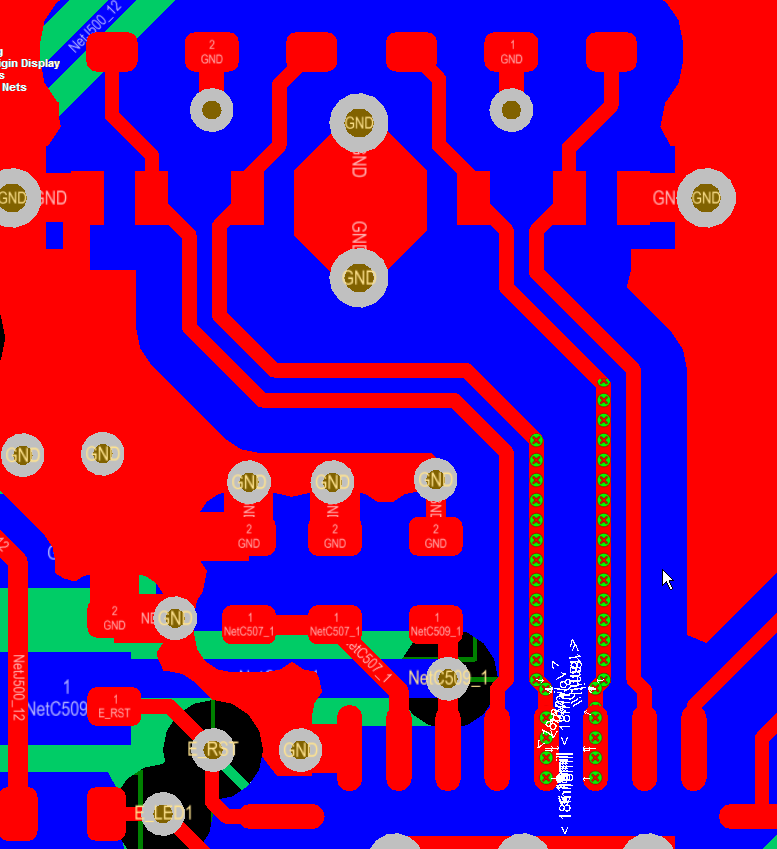
For example this Ethernet design called for 18 mils of clearance from the differential pairs to adjacent copper pours.

The diff pair nets were placed in class and a clearance rule was created to hold polygon pours back 18 mils.

click on images to view


This took care of the 18 mil (~3 x W) copper clearance requirement.


However as shown above, now there is a clearance error where the differential pairs connect to U500.

We can use a room to define a clearance exception for the differential pair at U500.

Define the Room

Design > Rooms


Tip: Use Shift + Click to Select an Existing Room

Tip: Select a handle on the Room > Drag Handle > Tab Key

Take note of the settings used for the room above, specifically:

Name RX_TX_ROOM

Not InComponent('U500') 

'Keep Objects Outside' 


Clearance Rule


That's It.