Try Pressing the R Key while dragging a component to cycle through placement options.
Try Holding down the Ctrl Key while Routing to Override Snapping Options.
That's it !
Showing posts with label Shortcut Keys. Show all posts
Showing posts with label Shortcut Keys. Show all posts
Saturday, February 22, 2020

Saturday, January 4, 2020
Menu - Short Cut Keys
Click + Ctrl to edit a menu

In the example shown above in the PCB Editor I pressed the M key, then held down the Ctrl key and selected Move Selection by X,Y... and added the & in front of Y as shown below.

That's it !
In the example shown above in the PCB Editor I pressed the M key, then held down the Ctrl key and selected Move Selection by X,Y... and added the & in front of Y as shown below.

That's it !
Wednesday, May 22, 2013
Script - Run with Shortcut Key
C:\Altium_RJC\Altium_Central\Scripts\Fix_Connections_v1.0\Fix_Connections.PrjScr

Create New or Edit a Custom Shortcut Key (Hotkey)
Right Click on Main Toolbar > Customize > [Custom]

Example Settings


Process:
ScriptingSystem:RunScript
Parameters:
ProjectName=C:\Altium_RJC\Altium_Central\Scripts\Fix_Connections_v1.0\Fix_Connections.PrjScr|ProcName=Fix_Connections.pas>Start
Shortcuts:
Assign Primary Key to run the Script.
Tip: Edit existing menu short cuts by holding down Ctrl + Select Menu Button
Bitmap Icons (18 x 18 pixels) can be added to the toolbar.
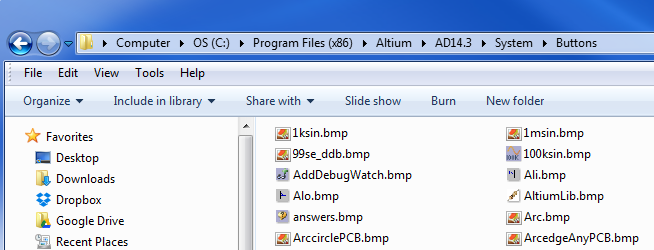
Tip: Edit existing menu short cuts by holding down Ctrl + Select Menu Button
Bitmap Icons (18 x 18 pixels) can be added to the toolbar.
That's It . . .
Friday, November 2, 2012
Custom Shortcut Keys
In Altium it's easy to define your own shortcut keys.
In the example shown below, I will create a shortcut key for setting the origin in the PCB editor.

Navigate as shown above and then hold down the CTRL key and left click your mouse on Set.
The Edit Command Dialog should pop up. As shown below I have set the Primary Shortcut to CTRL+Shift+O

In the example shown below, I will create a shortcut key for setting the origin in the PCB editor.
Navigate as shown above and then hold down the CTRL key and left click your mouse on Set.
The Edit Command Dialog should pop up. As shown below I have set the Primary Shortcut to CTRL+Shift+O
Sunday, May 6, 2012
Toggle Board Insight Lens - Shift+M
Shift+M
I personally don't use the Insight Lens feature, however I occasionally toggle the Lens on accidentally when using keyboard short cut keys and I need this shortcut key to toggle it off.
I suspect it's not one of the tools more popular features as it's rarely touted.
Insight Shortcut Keys:
Shift+M - Toggles the Insight Lens On/Off
Alt+Roll - Zooms the Lens in and out (Alt + Roll Mouse Wheel)
Shift+N - Toggle to Move and Park the Lens
Board’s eye view of your multi-layer board - Altium Workshop Tip - PDF
I personally don't use the Insight Lens feature, however I occasionally toggle the Lens on accidentally when using keyboard short cut keys and I need this shortcut key to toggle it off.
I suspect it's not one of the tools more popular features as it's rarely touted.
Insight Shortcut Keys:
Shift+M - Toggles the Insight Lens On/Off
Alt+Roll - Zooms the Lens in and out (Alt + Roll Mouse Wheel)
Shift+N - Toggle to Move and Park the Lens
Board’s eye view of your multi-layer board - Altium Workshop Tip - PDF
Shortcut Keys
Learning a few short cuts keys will definitely increase your productivity. Altium comes configured with numerous Short Cut Keys.
It is easy to forget how many short cut keys are available in Altium.
If you have dual monitors put the short cuts on your second screen while you work and try to learn a few.
| The table below was cut and pasted from Excel. | |||||||||||||||||||||||||||||||||||||||||||||||||||||||||||||||||||||||||||||||||||||||||||||||||||||||||||||||||||||||||||||||||||||||||||||||||||||||||||||||||||||||||||||
Schematic and PCB: | |||||||||||||||||||||||||||||||||||||||||||||||||||||||||||||||||||||||||||||||||||||||||||||||||||||||||||||||||||||||||||||||||||||||||||||||||||||||||||||||||||||||||||||
| |||||||||||||||||||||||||||||||||||||||||||||||||||||||||||||||||||||||||||||||||||||||||||||||||||||||||||||||||||||||||||||||||||||||||||||||||||||||||||||||||||||||||||||
Subscribe to:
Posts (Atom)