Showing posts with label Menu. Show all posts

Saturday, January 4, 2020

Menu - Short Cut Keys

Click + Ctrl  to edit a menu


In the example shown above in the PCB Editor I pressed the M key, then held down the Ctrl key and selected Move Selection by X,Y... and added the & in front of Y as shown below.


That's it !

Tuesday, September 10, 2013

Create a Custom Toolbar

See Altium Designer - addons: UI customizations

Steps to create a custom Toolbar Command Button to Run a Script.


Right Click on and empty space in the menu bar and select Customize . . .

Select Toolbar Tab and Create a New Toolbar


Select the Commands Tab, then [Custom] then New


For Process Select:  ScriptingSystem:RunScript


Enter the Parameters, Example:

ProjectName=C:\Altium_RJC\Altium_Central\Scripts\Via Soldermask Barrel Relief\Via Soldermask Barrel Relief.PrjScr|ProcName=Via Soldermask Barrel Relief.pas>Start

Enter a Caption and Description.

Select an existing Altium Command Button or Create your own Button.

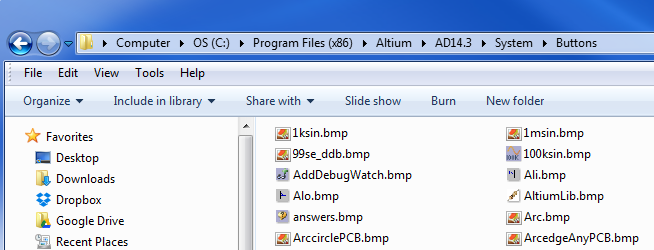
AD14 Buttons are installed at:

"C:\Program Files (x86)\Altium\AD14\System\Buttons"

Drag and Drop The New Command Button to your Custom Toolbar


You can also easily add a Hot key (keyboard short cut) to any command button or menu  by holding down the Ctrl Key and double clicking the left mouse button.


Example to Export Hyperlynx in AD15

Monday, July 8, 2013

Add Move Text to Edit Menu

Add Text to the Move menu to simplify working with silkscreen and assembly drawings.

Right Click on Main menu bar > Customize > New

Then create the Command and select Ok

Click to view image


Then drag the new Text Command into the main menu > Edit > Move

Move > Text


Wednesday, May 22, 2013

Script - Run with Shortcut Key

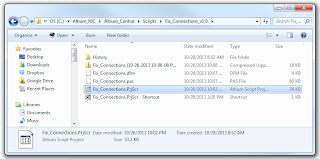
C:\Altium_RJC\Altium_Central\Scripts\Fix_Connections_v1.0\Fix_Connections.PrjScr


Create New or Edit a Custom Shortcut Key (Hotkey)

Right Click on Main Toolbar > Customize > [Custom]


Example Settings


Process:

ScriptingSystem:RunScript

Parameters:

ProjectName=C:\Altium_RJC\Altium_Central\Scripts\Fix_Connections_v1.0\Fix_Connections.PrjScr|ProcName=Fix_Connections.pas>Start

Shortcuts:

Assign Primary Key to run the Script.

Tip: Edit existing menu short cuts by holding down Ctrl + Select Menu Button

Bitmap Icons (18 x 18 pixels) can be added to the toolbar.


That's It . . .