Sunday, October 19, 2014

Polygon Pours - New Functionality


Key things to know when editing polygons in Altium 14.3 are:

1. Click and hold a handle for a moment before trying to move it.
2. Shift Space bar toggles the modes.

Source: http://bugcrunch.live.altium.com/#Bug/4421

Project Packager

The Project Packager can used to bundle up every file associated with a project and create a Zip file.

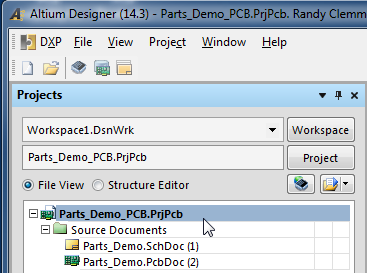
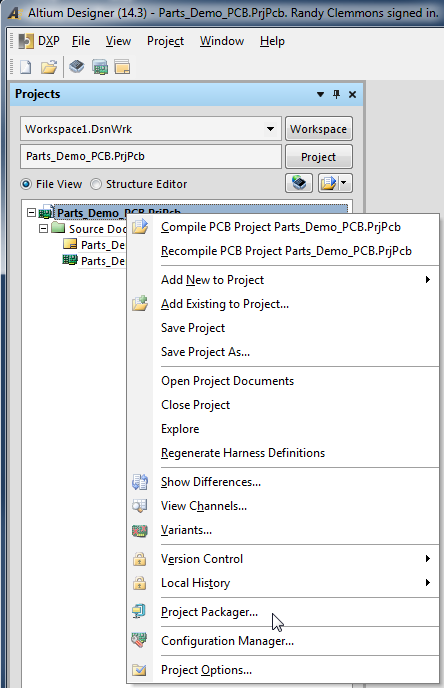
You can find the Project Packager under Project > Project Packager


Or Right Click on a Project and Select the Project Packager


click on image to view


Follow the defaults, select Next > Next > Next > Finish


Take a look in project's folder and you will find a zipped up copy of your project.


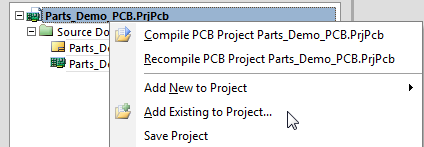
Tip: You can add other documents to a project that will be included in the Zip file.


I often add other files to a project such as BOM templates and stack up drawings.

That's It.

EEVblog #527 - Altium Entry Level PCB Tool Rant - YouTube

Gotta to love this guy

EEVblog #527 - Altium Entry Level PCB Tool Rant - YouTube:

'via Blog this'

Monday, October 6, 2014

PCB Libraries - Parts on Demand

PCB Parts on Demand - Part Data: 


I searched for ADA4940-2ACPZ-R7 at the Altium Content store and did not find the part.

I decided to try PCB Libraries - Parts on Demand and was pleasantly surprised to find the 
fpx file for this part was available.

I downloaded the ADA4940-2ACPZ-R7.fpx file and quickly created the footprint.

click on images to view


The tool has a user friendly graphical interface . 

Please mention my name when requesting your quote from PCB Libraries.

Thank you
Randy Clemmons CID+

Wednesday, September 3, 2014

PADS ASCII IMPORT BUG - PCBLIB ORIGIN OFFSET

Altium Bug Crunch
http://bugcrunch.live.altium.com/#Bug/4651

This bug was found in AD14.3.14  (latest release). 

Note AD14.2.5 Does not have this problem.

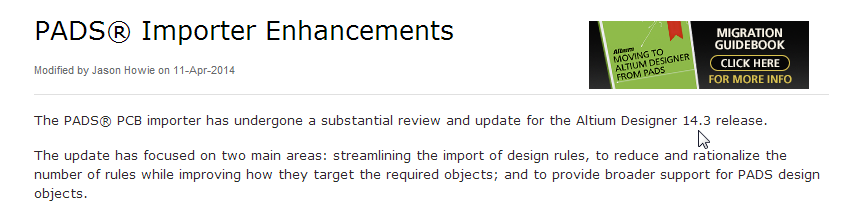
Most likely this bug was introduced into AD14.3.14 while making these enhancements.


Source: http://techdocs.altium.com/pages/viewpage.action?pageId=235578

Note the origin data error will be passed to the pick and place file data.

Steps to re-create the bug:

Download and Import this PADs ascii file INDC3225X280N.asc in to Altium using the import wizard.

Then make pcblib library. 

As shown below the pcblib file created from the pcbdoc has an origin offset.


Step by Step:

Import the PADs ASCII file at the link provided above.

click on images to view


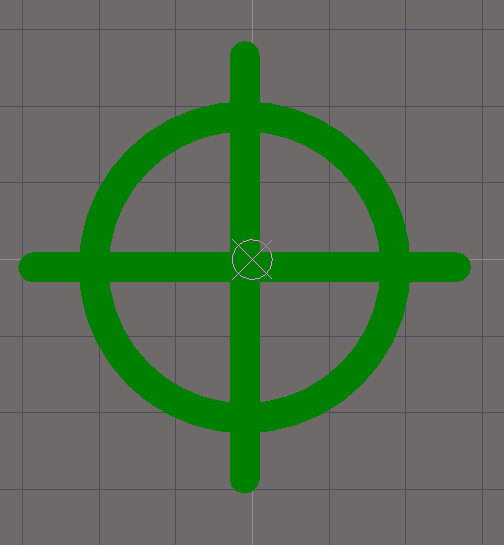
After importing the PADS ASCII file, zoom to the center of the target (crosshairs) and note that the origin is correctly centered in the target.


Also a quick check of the pads properties shows the pads are properly centered about the origin. As shown below the left pad is located at X -1.47mm, Y 0mm


Also the right pad is correctly located at X 1.47mm, Y 0mm

So far everything is correct. 

Now let's create a pcblib from the imported PADs ASCII file (the Altium pcbdoc) and zoom in to view the origin in the PcbLib.

As shown below there is an offset error in the origin.


This is serious flaw for anyone who is importing PADs asc data and generating Altium library parts. 

This incorrect origin data will be passed to the pick and place file data. 

Also the origin error will adversely affect part placement base on the part's origin.

Checking the Left and Right Pad X & Y properties also shows there is and offset error.

Left pad X -1.4827mm,  Y -0.0127mm


and the right pad X 1.4573mm, Y -0.0127mm


Work-arounds:

  1. Manually move the origin in pcblib to center of the target (crosshairs).
  2. Select Edit > Set Reference > Center
Summary:

Be aware that when importing PADS ASCII data that until this bug is fixed you may need to move the origin in the pcblib files generated after using the import wizard and creating pcblib libraries.

If you have an interest in seeing this bug fixed, cast your vote at:
http://bugcrunch.live.altium.com/#Bug/4651


That's It