Wednesday, October 22, 2014

Variant - Schematic

To create schematics for variants


In the out job Select 'Project Physical Documents'


In the Variant Manager menu Project > Variants

click on images to view


That's It.

Sunday, October 19, 2014

Polygon Pours - New Functionality


Key things to know when editing polygons in Altium 14.3 are:

1. Click and hold a handle for a moment before trying to move it.
2. Shift Space bar toggles the modes.

Source: http://bugcrunch.live.altium.com/#Bug/4421

Project Packager

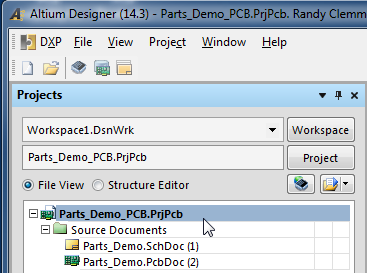
The Project Packager can used to bundle up every file associated with a project and create a Zip file.

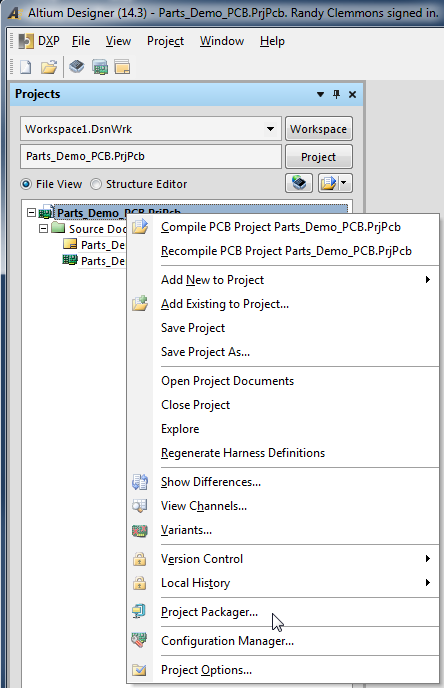
You can find the Project Packager under Project > Project Packager


Or Right Click on a Project and Select the Project Packager


click on image to view


Follow the defaults, select Next > Next > Next > Finish


Take a look in project's folder and you will find a zipped up copy of your project.


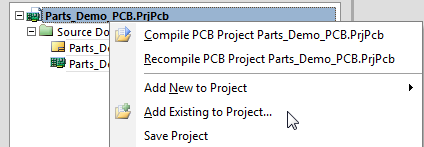
Tip: You can add other documents to a project that will be included in the Zip file.


I often add other files to a project such as BOM templates and stack up drawings.

That's It.

EEVblog #527 - Altium Entry Level PCB Tool Rant - YouTube

Gotta to love this guy

EEVblog #527 - Altium Entry Level PCB Tool Rant - YouTube:

'via Blog this'