Install the Script
If you run a script often you may want to add the script to your DXP Preferences.
DXP > Preferences > Scripting System > Global Projects > Install
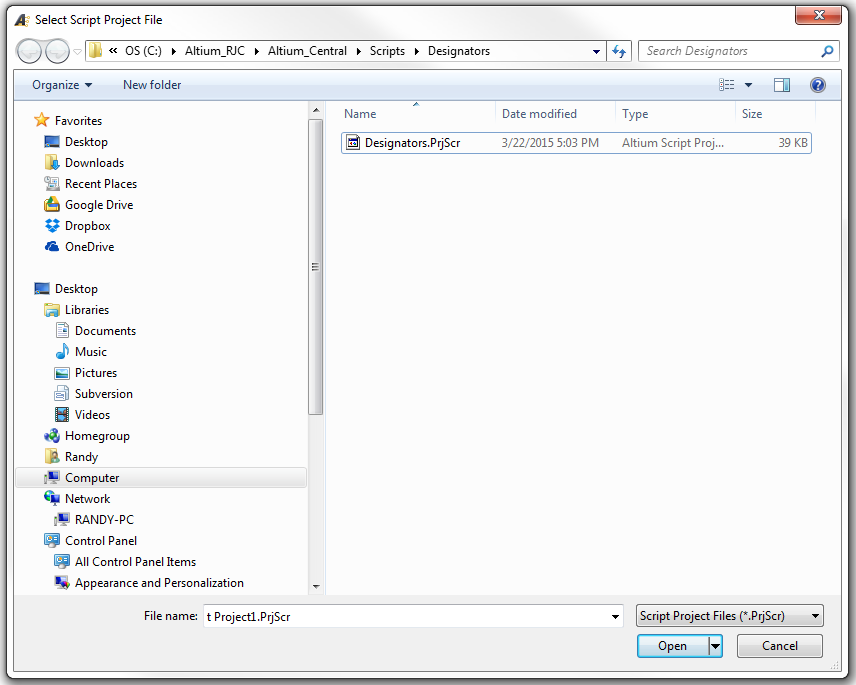
Select the Script > Open > Ok
click on image to view
Run a PCB Script
With a *.PcbDoc open and in view, select DXP > Run Script
Select Script to Run
That's It !
Error message "Wrong page settings for . . ."
This message will appear if your Page Setup is incorrect.
click on image to view
The Outjob will display Container Links in Red if the Page Setup is incorrect.
Fixes:
In the Outjob > Right Click > Page Setup > Fix as needed
Main Menu > File > Page Setup
click on image to view
That's It !
I recently reviewed a design where everytime I ran the DRC check for the PCB I would get a prompt to rebuild an un-poured polygon.
I selected Yes to rebuild the polygon and finish running the DRC check.
However if tried to run the DRC again I would get the same prompt. I was stuck in an endless loop.
To find and fix the problem I went to Tools > Polygons Pours > Polygon Manager.
Using the Polygon Pour Manager, I sorted and found the un-poured polygon.
Selected the polygon, right clicked > properties
And found the problem - Remove Dead Copper
Altium was pouring then un-pouring the polygon because there was no same net object, so the copper was dead and removed at the end of each pour.
I deleted the unused polygon and got off the merry go round.
That's It !


